Android · Bluetooth LE
Fridge Labels
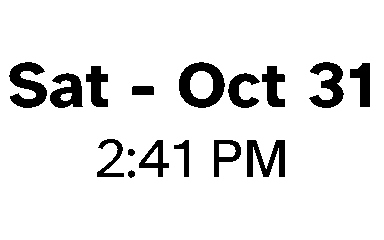
One tap prints a label with the current date and time on a small thermal printer, so everything in the fridge and freezer says when it went in or was opened.
- Printer
- NIIMBOT B1, over Bluetooth LE
- App
- Android, Kotlin
- Printed from
- The app, Tasker, or Claude
- Status
- Prints every day. Source is private.
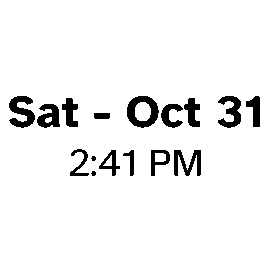
The label defaults to right now: the day and date, with the time under it. That is the whole point. Stick one on a container going into the fridge, a bag going into the freezer or a jar that was just opened, and nobody has to guess how old it is later. The printer's own app takes a dozen taps to get there. This one takes one, and I use it constantly.
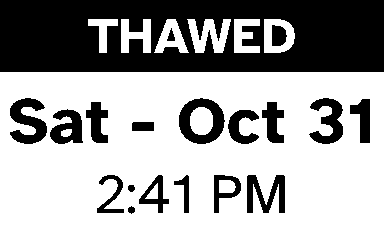
When a label needs to say more, a title such as THAWED goes on top.
Speaking the printer's protocol
The B1 has no public documentation, so the app implements its Bluetooth protocol directly, following the open-source niimbluelib. The tests print three real labels in full and check every packet, byte for byte, against what niimbluelib sends. That is what made it safe to change the layout code without wasting a roll finding out what broke.
Three ways to print
- The app. Open it and tap Print.
- Tasker. A broadcast prints a label with an optional title, copies, size and style, and a second broadcast reports back whether it worked, so a routine can react.
- Claude. Through Phone Relay, Claude can preview and print: the date label, a backdated one, or a design of its own.
Custom designs
A label does not have to be a date. A design is an SVG, so Claude can draw one, and a photo, a link or an SVG file can be shared to the app from anywhere on the phone. Photos are cropped on the subject, faces first, then dithered down to the printer's black and white. Designs that print are kept in a gallery with a short id, so "print the soup one again" works.
Small things that matter by a fridge
- If the printer is off, the lid is open or the roll is out, the label is kept and a Retry button appears once the printer is ready.
- Narrow rolls drift sideways, so a setting shifts the print to match.
- An ESP32 button that sits next to the printer and prints today's label with no phone at all is in progress.